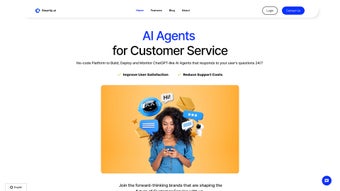

Download Smartly – AI‑Powered Chatbot Platform for Customer Support & Sales
Overview
Smartly.AI is a next‑generation chatbot management platform that leverages Generative AI to transform ordinary customer‑service operations into high‑efficiency, revenue‑driving experiences. Built for businesses of any size, Smartly lets you create tailored GPT‑based chatbots without writing a single line of code. By feeding the system with your existing knowledge base—whether it’s a FAQ document, product catalog, or internal SOPs—Smartly automatically generates conversational agents that understand context, answer queries accurately, and know when to hand off to a live representative.
The platform’s intuitive drag‑and‑drop interface makes chatbot creation feel as simple as building a slide deck, while robust security measures keep data safe and compliant with GDPR. Whether you run a boutique e‑commerce store, a mid‑market SaaS company, or a large enterprise contact center, Smartly provides a unified hub to manage multiple bots, integrate with popular live‑chat widgets, and connect to messaging channels such as WhatsApp, Facebook Messenger, and Slack. In short, Smartly is the bridge between cutting‑edge AI and everyday business workflows, delivering faster response times, higher customer satisfaction, and a measurable boost in sales conversions.
Beyond the core functionality, the platform offers advanced analytics, continuous learning loops, and a scalable pricing model that accommodates startups and Fortune‑500 enterprises alike. The result is a tool that not only reduces operational costs but also empowers support and sales teams to focus on high‑value interactions rather than repetitive, low‑complexity tasks. With Smartly, businesses gain a competitive edge by offering instant, accurate assistance around the clock, driving both loyalty and revenue growth.
Core Features that Set Smartly Apart
- Generative AI Engine: Powered by the latest GPT models, Smartly creates natural, context‑aware replies that feel human‑like.
- Knowledge‑Base Integration: Upload PDFs, CSVs, Word docs, or connect to existing CRM and help‑desk systems; Smartly ingests the content instantly.
- No‑Code Bot Builder: Visual flow editor with drag‑and‑drop blocks, conditional logic, and multilingual support.
- Seamless Human Handoff: Real‑time escalation to live agents with full conversation history, reducing friction.
- Multi‑Channel Connectivity: Native connectors for Intercom, Zendesk, LiveChat, WhatsApp Business, Facebook Messenger, and more.
- Analytics & Performance Dashboard: Track conversation volume, resolution rates, average handling time, and revenue impact.
- Security & Compliance: End‑to‑end encryption, regular penetration testing, and GDPR‑ready data handling.
- Continuous Learning: Auto‑retraining loops improve answer accuracy as the bot interacts with users.
- Customizable Branding: Match the chatbot UI to your corporate colors, fonts, and tone of voice.
- Scalable Pricing Model: From free tier for startups to enterprise plans with dedicated support.
Each of these features works together to eliminate the technical bottlenecks that traditionally slow down chatbot deployment. For example, the Knowledge‑Base Integration means you can simply drop a CSV of product SKUs, and Smartly will instantly understand pricing, availability, and specifications—no manual mapping required. The analytics dashboard surfaces key metrics in real time, allowing marketing and support leaders to tweak bot behavior on the fly, leading to higher conversion rates and lower churn.
Moreover, the platform’s focus on security ensures that sensitive customer data never leaves your controlled environment, a crucial factor for industries such as finance and healthcare. The no‑code builder is complemented by a rich library of pre‑built templates covering common use‑cases like order tracking, lead qualification, and appointment scheduling. These templates can be customized with just a few clicks, reducing time‑to‑value from weeks to minutes.
Additionally, Smartly’s continuous learning engine monitors interactions, flags low‑confidence responses, and automatically retrains the model using validated human feedback. This closed‑loop approach guarantees that the chatbot becomes smarter over time, delivering increasingly accurate answers and reducing the need for manual rule‑based updates. Finally, the multi‑channel connectors guarantee that your bot can meet customers wherever they prefer to chat, whether on a website, in a mobile app, or through popular social platforms, ensuring a seamless omnichannel experience.
Installation, Usage & Compatibility
Getting Started in Minutes
Installing Smartly is a breeze. Begin by visiting the official website and clicking the “Get Started – Free” button. After providing a corporate email, you’ll receive an activation link.
The SaaS platform runs entirely in the cloud, so there is no client‑side software to download. Simply log in, and the dashboard appears with a guided onboarding wizard that walks you through importing your first knowledge source, selecting a template (support, sales, or custom), and publishing the bot to a test channel. The wizard also includes a short video tutorial, best‑practice tips, and a checklist that ensures you’ve covered critical steps such as setting up GDPR consent banners and configuring fallback intents.
Within ten minutes you can have a functional chatbot live on a test page, ready for internal evaluation.
Step‑by‑Step Usage
- Import Content: Drag files or connect to APIs (e.g., Salesforce, HubSpot). Smartly parses the data and creates a searchable index.
- Design Conversation Flow: Use the visual builder to map out greetings, FAQs, product recommendation logic, and escalation rules.
- Configure Channels: Choose from built‑in live‑chat widgets or activate connectors for WhatsApp, Slack, etc.
- Test & Refine: Run simulated chats, review AI suggestions, and adjust intents or responses.
- Go Live: Publish the bot with a single click; monitor performance via the analytics panel.
Operating System Support
Because Smartly is a cloud‑based solution, it works on any modern operating system with a web browser. Whether you run Windows 10/11, macOS Ventura, Linux distributions, or mobile platforms such as Android 13 and iOS 17, the experience remains consistent. The admin console is optimized for Chrome, Edge, Firefox, and Safari, while end‑users interact with the chatbot through embedded web widgets or native messenger apps, guaranteeing broad compatibility across desktop and mobile environments.
Security & Updates
Smartly receives automatic updates as part of its subscription, ensuring you always benefit from the latest AI model improvements and security patches. Regular third‑party audits verify that encryption keys are rotated, data residency options comply with EU regulations, and incident‑response plans are in place. For enterprises needing on‑premise isolation, Smartly offers a private‑cloud deployment option that adheres to the same security standards. All data transfers are encrypted with TLS 1.3, and at‑rest encryption uses AES‑256. Role‑based access control (RBAC) lets administrators grant granular permissions, while activity logs provide full audit trails for compliance reporting.
Pros, Cons & Frequently Asked Questions
Pros
- Rapid bot creation without programming knowledge.
- Powerful generative AI that delivers context‑aware responses.
- Deep integration with existing knowledge bases and CRMs.
- Multi‑channel support including major messaging platforms.
- Robust analytics for data‑driven optimization.
- Enterprise‑grade security and GDPR compliance.
- Scalable pricing suitable for startups to large corporations.
- Continuous learning improves accuracy over time.
- Customizable branding for a seamless customer experience.
- Free trial removes financial risk for new users.
Cons
- Advanced customization (e.g., custom NLP models) may require developer assistance.
- Higher‑tier plans can become costly for very large contact centers.
- Reliance on internet connectivity; offline use is not supported.
- Initial knowledge‑base preparation can be time‑consuming for organizations with scattered documentation.
- Learning curve for non‑technical users when configuring complex escalation rules.
FAQ – Answers Powered by Smartly’s Knowledge Base
-
Can I integrate Smartly with my existing CRM?
Yes. Smartly offers native connectors for Salesforce, HubSpot, Zoho CRM, and also supports custom API integrations via webhooks.
-
Is there a free trial available?
Smartly provides a 14‑day free trial with access to all core features, allowing you to test bot performance before committing to a paid plan.
-
How does Smartly ensure data privacy?
All data is encrypted at rest and in transit. Smartly complies with GDPR, conducts regular penetration tests, and offers data‑ residency options within the EU.
-
Can the chatbot handle multiple languages?
Yes. The underlying GPT model supports over 30 languages, and you can train language‑specific intents to deliver localized experiences.
-
What happens if the AI cannot answer a query?
Smartly automatically routes the conversation to a live agent, preserving the chat history so the human can pick up where the bot left off.
Pros:
- Intuitive no‑code interface.
- Strong AI capabilities.
- Robust security and compliance.
Cons:
- Higher‑tier pricing can be steep.
- Limited offline functionality.
Conclusion – Why You Should Download Smartly Today
In today’s hyper‑competitive market, delivering instant, accurate support while simultaneously nudging prospects toward a purchase is no longer optional—it’s a necessity. Smartly delivers on both fronts by combining state‑of‑the‑art generative AI with a no‑code builder that puts control back in the hands of business users. Its seamless integration with existing knowledge bases, multi‑channel reach, and robust analytics empower teams to reduce handling times, boost conversion rates, and free human agents for high‑value interactions. Moreover, the platform’s commitment to security and GDPR compliance eliminates the common worry of data breaches, allowing you to focus on growth rather than risk management.
Whether you’re a small e‑commerce shop looking to automate FAQs, a SaaS company wanting to qualify leads 24/7, or an enterprise contact center aiming to unify chatbot and live‑agent workflows, Smartly scales with your ambitions. The free trial removes any financial barrier, letting you experience the AI’s impact first‑hand before upgrading. Don’t let outdated support processes hold you back—download Smartly now, configure your first bot in minutes, and start turning conversations into conversions.
Download Smartly – Start Your Free Trial


.png)



